E:D Market Connector on Linux and Steam Deck

An essential community tool used for fueling websites like INARA, Elite Dangerous Star Map or coriolis with data about the game the Elite Dangerous Market Connector is used by many. Running it on Linux or the Steam Deck is for new users probably not as straight forward as it might be on Windows. On this page we describe the whole process to install and setup the connector as well as how to launch it automatically along side the game
If following this guide on Steam Deck please enter Desktop Mode.
Install
- Download the latest version from Github
- Install Protontricks on your Linux system or Steam Deck via the local Software Center (eg. Discover or Gnome-Software)
- Launch EDMarketConnector_Installer_(version).exe via Protonticks
- This can by done by right clicking the installer in your file browser and choose Open with Protonticks

- Choose Elite: Dangerous from the list of installed games
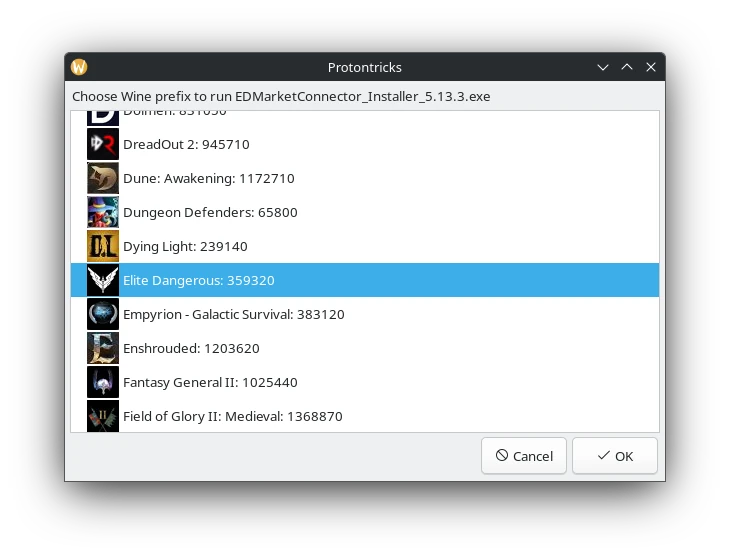
- Walk through the installer
Auto start E:D Market Connector with Elite: Dangerous
To not always need to manually launch the connector we can add a little Launch Option to Elite: Dangerous ia Steam.
- Locate the actual file path on your computer / Steam Deck
- Right-click Elite: Dangerous in Steam
- Choose Manage -> Browse installed files
- Move on directory up and enter compatdata
- Enter ./359320/pfx/drive_c/Program Files (x86)/EDMarketConnector/
- Copy the full path to the EDMarketConnector.exe from your file browser adressbar including the name of the .exe itself
- Right-click Elite: Dangerous in Steam and choose Properties
- Enter PROTON_REMOTE_DEBUG_CMD="[path to market connector]/EDMarketConnector.exe" %command%
- If the address contains spaces escape them with \ right in front of the space
- Example:
PROTON_REMOTE_DEBUG_CMD="/opt/datalake_ssd/vortex/.steam/steamapps/compatdata/359320/pfx/drive_c/Program\ Files\ (x86)/EDMarketConnector/EDMarketConnector.exe" %command%
If you now launch Elite: Dangerous the E:D Market Connector should be launched right with it.
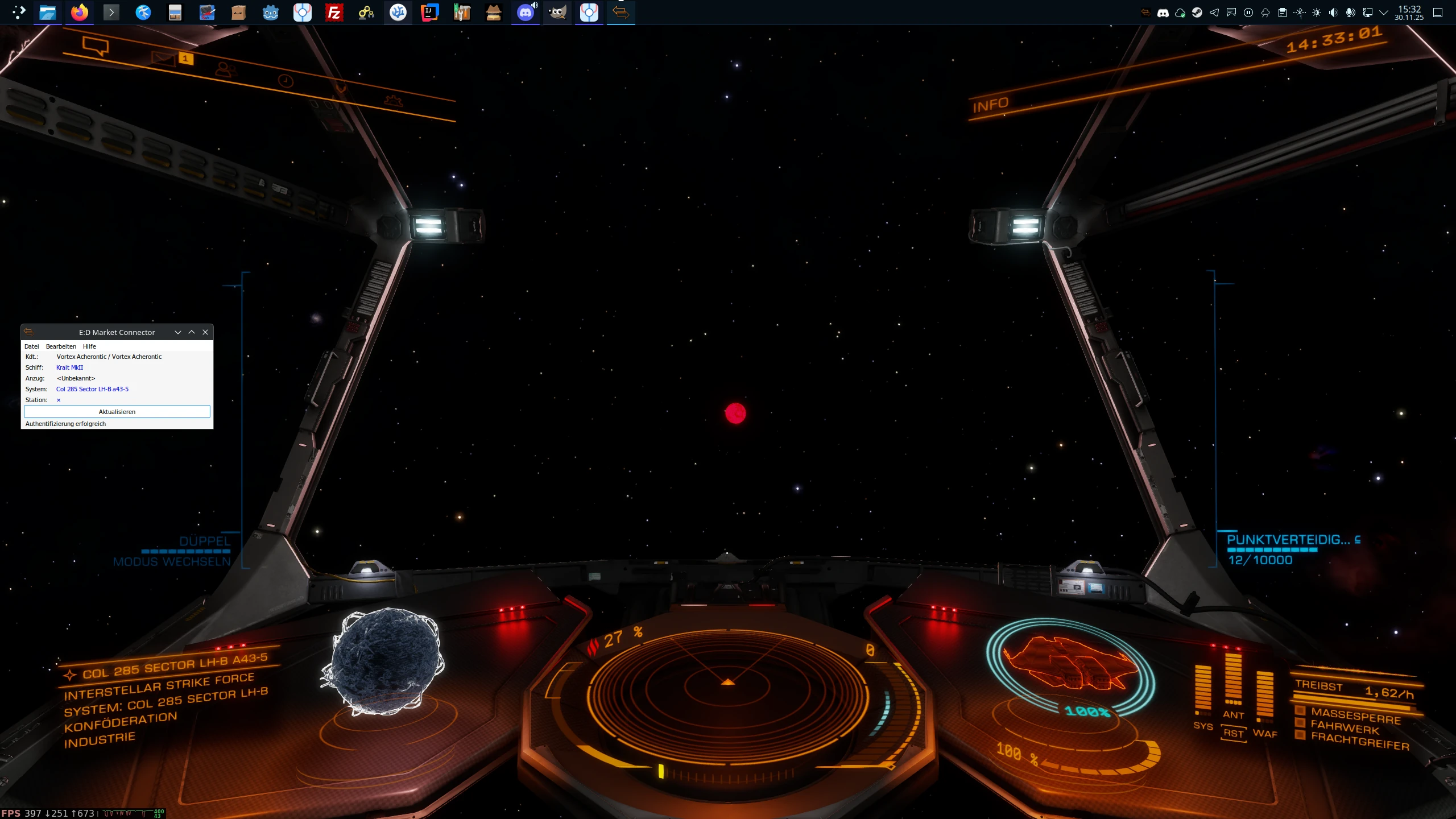
(right-click open in new tab to enlarge)
Setup E:D Market Connector
If launching the market connector for the first time it will open up the Frontier Development Authentication page in your default browser. You can allow E:D Market Connector to access your profile here if you wish. This is not mandatory.
Setup INARA API Key
In order to connect the E:D Market Connector with INARA you have to obtain an API key form inara.cz. For this you'll require an account on inara.cz once you have one you can get an api key as follows:
- Inside the E:D Market Connector chose File -> Settings -> Inara
- Click on the blue text reading Inara-Logindata
- This will open up the user settings of inara.cz and will either allow you to generate a new API key or if you have one already right away reveal your API key.
- Copy and paste the API key into the market connector and hit OK
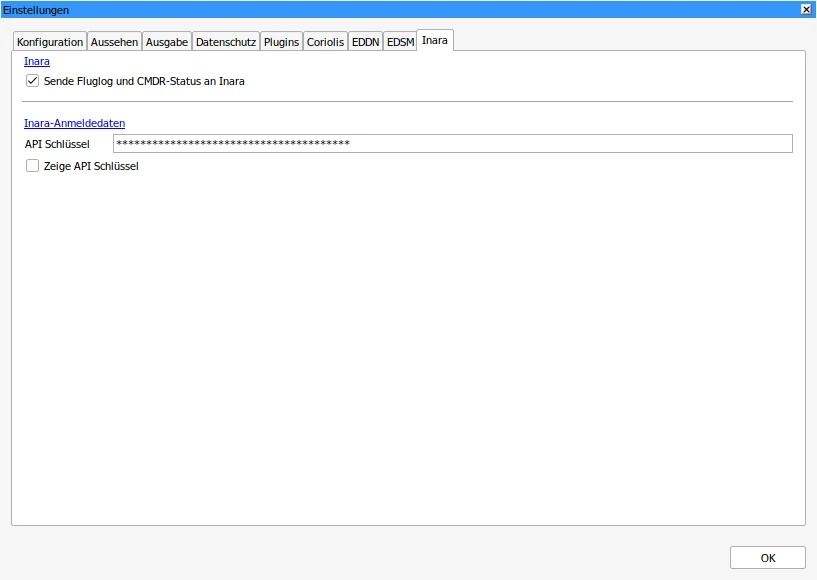
That's it you should now be all set to use the E:D Market Connector on Linux and the Steam Deck